
Coin Identifier Coin Scanner
Identifier StudioBusiness
4.3779.00 Reviews
- Version
- 2.6
- Installs
- 500.00K
- Age Rating
- Everyone
Screenshots
Our Review of Coin Identifier Coin Scanner
 Analysis by Appyee
Coin collecting often starts with a small mystery: a coin turns up in a drawer, a jar, or a box of keepsakes, and nobody remembers where it came from. I like the idea of using a phone to get an initial clue instead of immediately reaching for a reference book. Coin Identifier Coin Scanner is aimed at that first step: photographing a coin and using the image to identify it and estimate its value. It is a business-category app from Identifier Studio, but in everyday use it feels more like a practical reference for curious owners and casual collectors than a tool for running a business.
When a coin becomes a shared household mystery
The app makes most sense when someone in the household finds a coin and wants a quick starting point. Picture a family sorting an old biscuit tin before deciding what to keep: one person takes a clear photo, checks the result, and shares what they learned with everyone else. That can turn an ordinary chore into a small piece of detective work. I would still treat the result as a lead, not a verdict, especially if the coin looks unusual or its condition might affect its value.
For a household with several people interested in the same collection, agree on a simple routine before scanning: photograph both sides, note where the coin came from, and keep the physical coin in a labeled envelope or tray. That context matters because an image-based identification can help name a coin, but it cannot preserve the story of how it entered the family. A shared habit of recording that story is more useful than relying on anyone’s memory later.
Set expectations before building a collection
The app’s appeal is its low-friction starting point: you can try identifying a coin without first learning specialist terminology. That is particularly helpful for a child or a relative who has inherited a mixed collection and does not know where to begin. Still, I would not make the app the only record of a valuable collection. Keep your own notes about the coin’s markings, condition, and source, and compare an important result with a reputable coin reference or a knowledgeable dealer before making a purchase or sale.
Image quality is one boundary worth understanding. A photo that is blurred, shadowed, or taken at an angle can make small details harder to read, so use steady hands and even light, and capture the design rather than a reflection. If the app returns a result that seems off, try another clear view of the other side instead of treating the first answer as certain. This is a useful habit for any camera-based identifier, and it helps you notice when the coin itself is worn or unusually marked.
Coordinate without confusing ownership
On a shared phone or tablet, the bigger question is not just who can scan a coin, but whose collection a result belongs to. I would keep a separate paper or digital inventory for each owner rather than assuming a scan automatically creates a reliable shared record. If a parent and child are exploring coins together, decide who handles the physical pieces and where they go after each scan. That little bit of coordination reduces the chance of a coin being misplaced or a family member mistaking an identification for permission to trade it.
This is also where a specialist catalog or a spreadsheet may be a better companion. A spreadsheet gives a household control over owner, location, purchase history, and notes, while a coin app is more convenient for the quick “what might this be?” question. You do not have to choose one method: use the scanner to investigate, then record important details in a format everyone can understand and maintain.
Age, trust, and the limits of an estimate
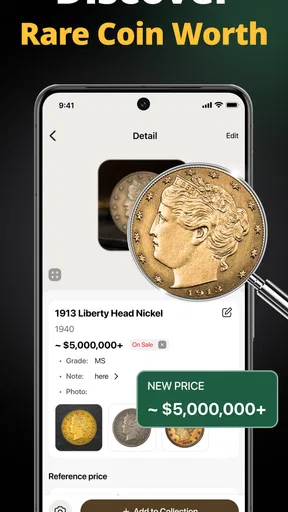
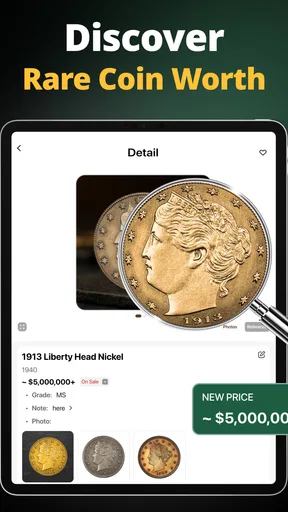
The app is rated for Everyone, which makes its subject matter approachable across ages, but a family should still guide younger users around the real-world value question. An estimated figure from a photo is not the same as a professional appraisal, and condition, authenticity, and market demand can change what a coin is worth. I would frame the result as a learning prompt—“what features led to this match?”—rather than a promise that a coin can be sold for that amount.
That distinction matters most when a scan suggests a coin is rare or valuable. Before spending money, selling a family item, or making a trade, check the identifying details against an independent reference and ask someone with relevant experience. The app is useful for narrowing the search, but the final decision deserves more than one camera result.
Who will get the most from it?
I see the strongest fit for curious beginners, people sorting inherited coins, and collectors who want a convenient first pass while organizing a small collection. It can also give a household an easy shared activity: compare the markings on a coin, look up what the scan suggests, and then decide what deserves more research. Someone who already knows their collection well may still value the quick lookup, but an expert who needs dependable grading or a formal valuation should use specialist references and professional advice instead.
Compared with searching the web manually, a photo-based scanner can be less intimidating when you do not know the country, denomination, or spelling of a coin’s inscription. Compared with a printed guide, it is quicker to try but less suited to careful verification. And compared with a spreadsheet, it can help with the initial identification but is not a substitute for a detailed, owner-managed inventory. Those are complementary tools, not interchangeable promises.
Have you ever found yourself staring at a mysterious coin, wondering about its origin, value, or history? If so, Coin Identifier Coin Scanner might just be the app you've been waiting for. As a coin enthusiast myself, stumbling upon this app felt like finding a hidden treasure chest. Let's dive into the details of this nifty application.
Getting Started with Ease
First things first, downloading and setting up Coin Identifier Coin Scanner is a breeze. Available for both Android and iOS, the app doesn’t demand much space, which is a relief for those of us juggling storage space. Once installed, the user interface is straightforward and intuitive. You don't need to be a tech wizard to navigate through its features. The home screen greets you with a simple prompt: snap a photo of your coin.
Snap, Scan, and Discover
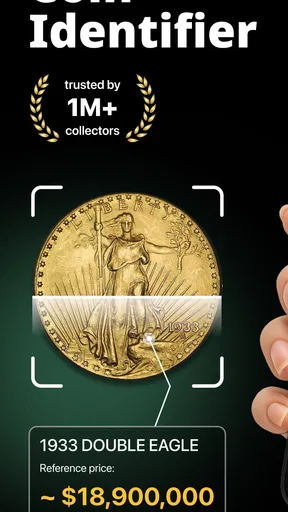
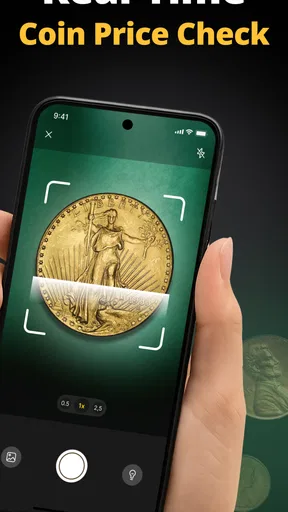
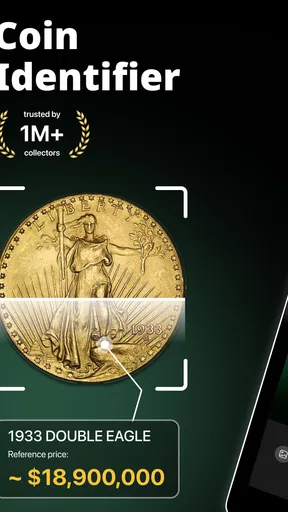
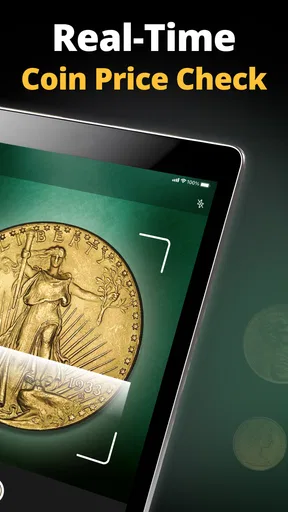
Now, here’s where the magic happens. Using your smartphone camera, you simply take a clear photo of the coin in question. The app then works its magic, scanning the image and providing detailed information about the coin. From its country of origin, year of minting, to its estimated value, the app covers it all. I was genuinely impressed by the accuracy and speed of the results. It felt like having a coin expert in my pocket.
Features to Love
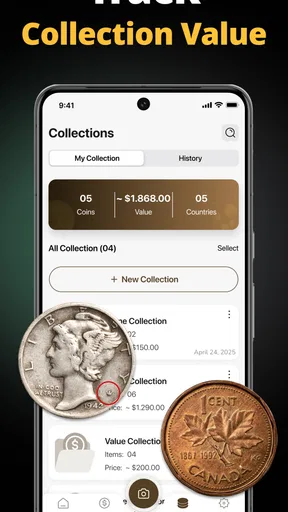
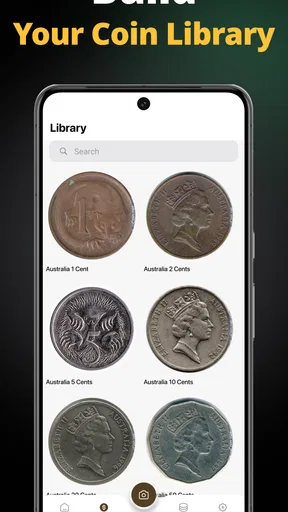
Apart from identifying coins, the app offers a few other neat features. For starters, there’s a section dedicated to coin collections where you can catalog your findings. This is perfect for keeping track of your treasures and sharing them with fellow enthusiasts. Additionally, the app provides historical context for many coins, enriching your understanding and appreciation of each piece.
Another feature worth mentioning is the community aspect. The app allows you to connect with other collectors, share insights, and even trade coins. It’s a vibrant community of like-minded individuals who share a passion for numismatics.
Personal Experience
During my exploration of the app, I discovered a coin I had long forgotten about. It was a vintage piece from the 1960s that I found in a flea market years ago. The app not only identified it but also provided fascinating insights into its history. It was like unlocking a part of history that was sitting in my drawer.
One thing I particularly appreciated was the app's ability to recognize obscure coins. It didn’t matter if it was a common dime or a rare foreign coin—the app handled it all with ease.
A Few Thoughts
While the app is incredibly useful, it’s not without its quirks. Occasionally, the identification process might take a couple of tries to get right, especially if the image quality isn’t optimal. But let's be honest, considering the breadth of information it provides, a little patience goes a long way.
Another potential area for improvement could be the offline functionality. Currently, the app requires an internet connection to function, which might be a limitation for some users. An offline database would be a fantastic addition for those venturing into areas with limited connectivity.
Choosing it for a household
As a free app, it is easy to try when a coin turns up unexpectedly, though in-app purchases range from $3.99 to $39.99 per item, so I would check the purchase screen carefully before confirming anything. Its 4.4 average from around 22 thousand ratings and over 500 thousand installs suggest that many people have found it useful, but popularity does not make a particular identification or value estimate guaranteed. The current version is 2.3, and it is intended for devices running iOS 11 or later.
One practical question is whether every scan needs to become part of a formal collection. I would say no. Use a quick identification for a coin that simply caught your eye, then save fuller notes for pieces you plan to keep, research, or pass on. Another useful question is whether a result is enough to price a coin. For a casual curiosity, it can give you a place to start; for a sale, insurance decision, or significant purchase, compare the match and condition with independent expertise.
My household verdict is positive with sensible limits. This is a friendly way to turn an unknown coin into a more informed conversation, and the camera-first approach lowers the barrier for people who would not open a thick reference book. I would skip it as a sole authority if I needed formal grading, dependable market pricing, or a carefully managed collection record. Used as a discovery tool—and paired with clear photos, notes, and a second opinion when the stakes are higher—it earns a place in the family’s coin-sorting routine.
Verdict
Strengths of Coin Identifier Coin Scanner
- Accurate identification of rare coins.
- User-friendly interface for quick scans.
- Comprehensive coin database access.
- Works offline for on-the-go use.
- Regular updates with new coin data.
Limitations of Coin Identifier Coin Scanner
- Occasional misidentification in poor lighting.
- Requires premium for full features.
- Limited support for obscure coins.
- Ads can be intrusive in free version.
- High battery consumption during use.
Other Releases by Identifier Studio
View All
AI Interior Design Home Decor
House & Home4.3

TCG Card Scanner TCG Collector
Sports4.7

Jewelry Identifier Gem Scanner
Business4.4

Sports Card Value Identifier
Sports4.5
Similar Picks in This Category
View All
LinkedIn: Community & Network
LinkedIn3.8

Zoom Workplace
zoom.com4.1

Microsoft Teams
Microsoft Corporation4.6

Meta Business Suite
Meta Platforms, Inc.4.6

Webex Meetings
Cisco Systems, Inc.4.5

TeamViewer Remote Control
TeamViewer4.4
Frequently Asked Questions
What is Coin Identifier Coin Scanner and how does it work?
Coin Identifier Coin Scanner is an app designed to help users identify and catalog coins using their smartphone camera. By taking a high-quality image of a coin, the app analyzes and matches it against a comprehensive database, providing detailed information about the coin’s origin, year, and value.
Is Coin Identifier Coin Scanner free to use?
While Coin Identifier Coin Scanner offers a free version with basic features, there may be in-app purchases or subscription options available for users who wish to access advanced functionalities such as detailed coin histories, market value updates, or ad-free experience.
How accurate is the coin identification process?
The accuracy of Coin Identifier Coin Scanner largely depends on the quality of the coin image and the app's database. Generally, it provides highly accurate results for well-preserved and common coins. However, rare or heavily worn coins might require additional verification through professional grading services.
Can the app identify coins from all countries?
Coin Identifier Coin Scanner supports a wide range of international currencies, making it a versatile tool for coin collectors worldwide. However, its database might not cover every single coin from all countries, especially those that are historically rare or newly minted. Users are encouraged to check the app’s database updates regularly.
What devices are compatible with Coin Identifier Coin Scanner?
Coin Identifier Coin Scanner is available on both Android and iOS platforms. Users need to ensure their devices meet the minimum operating system requirements specified on the app store to ensure optimal performance. Compatibility with older devices might be limited due to camera quality and processing power.
